From Order to Doorstep: How PMP Handles the Full Order Lifecycle

An Order Isn't a Row in a Spreadsheet
In most parts operations, an order comes in and someone scribbles it on a sticky note — or worse, tries to remember it. Maybe there's a shared spreadsheet. Maybe there's a whiteboard. The part gets pulled from a bin, tossed in a mailer, and hopefully the right tracking number gets entered somewhere.
That works for five orders a week. It falls apart at fifty.
Part Manager Pro treats every order as a structured object that moves through defined stages. Nothing gets skipped. Nothing gets lost. And every step is logged with who did it and when.
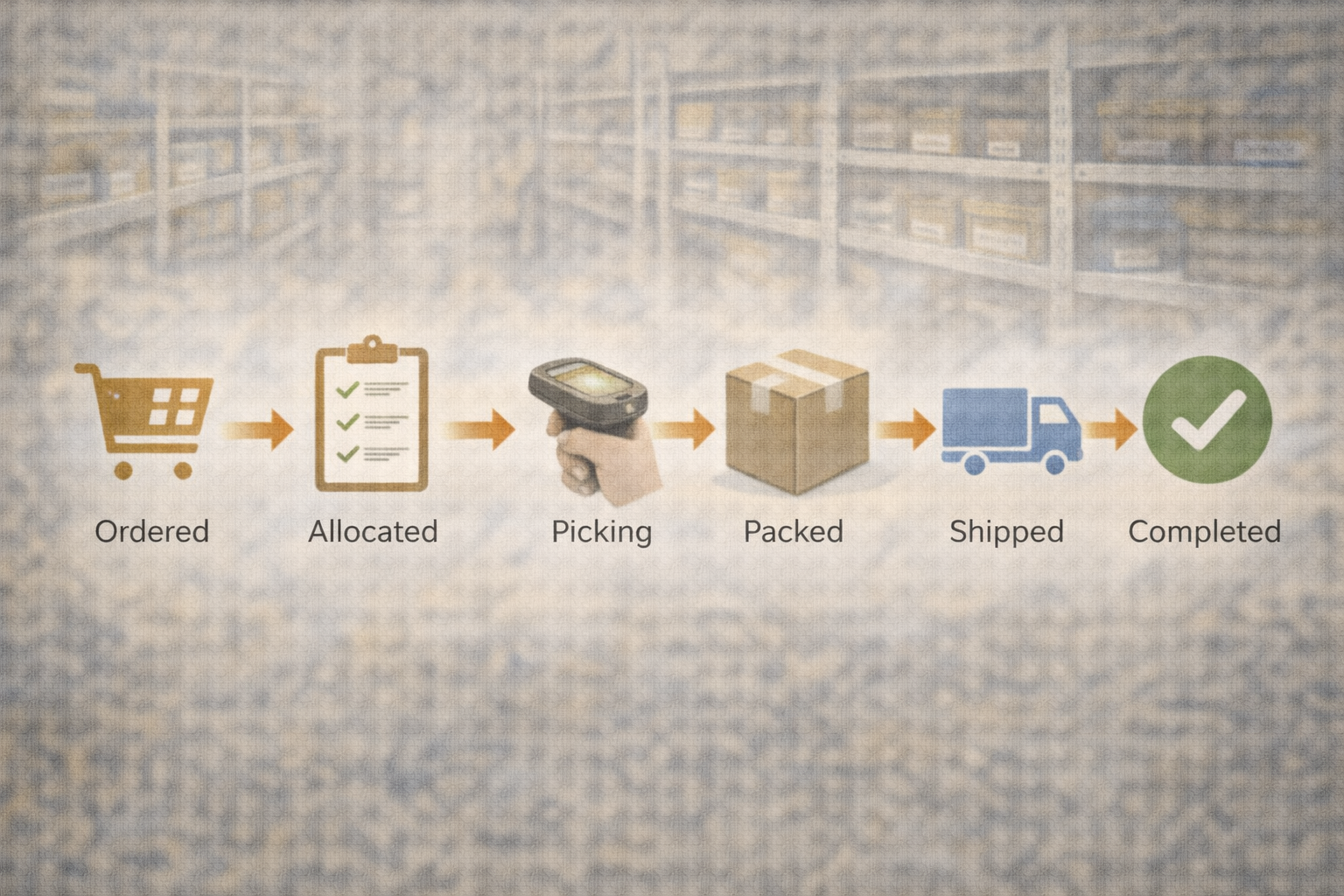
The Lifecycle: Six Stages, Zero Ambiguity
Every order in PMP follows the same path:
1. Imported
Orders flow in automatically from eBay and Shopify. PMP deduplicates them — if the same order arrives twice (which happens more than you'd think), it catches it. Each order is matched to your internal items via SKU mapping.
No manual data entry. No copy-paste from marketplace dashboards.
2. Allocated
Once an order is in the system, PMP creates reservations for the items. A reservation is a promise — this specific part is held for this specific order. It can't be sold to another buyer or pulled for a different order.
This is where overselling is eliminated. If you have three units and four orders come in, the fourth order gets flagged — not fulfilled with a part you don't have.
3. Picking
Your warehouse staff opens a picking session. The handheld interface shows them exactly what to pull: the SKU, the description, and — in large, bold text — the bin location. They walk to the bin, scan the barcode, confirm the pick.
Multiple pickers can run concurrent sessions without stepping on each other. If a picker gets interrupted, their session saves automatically and they pick up where they left off.
4. Packed
After picking, items move to the packing station. The packer verifies what's in the box matches what's on the order. Packing slips generate automatically — SKU, description, order number, and a QR code for quick reference.
Mismatches get flagged before the box is sealed. Not after the customer opens it.
5. Shipped
Completed orders get grouped into fulfillment batches. Print packing slips, generate shipping labels, and mark an entire batch as shipped in one action. Tracking numbers are recorded against each order.
PMP then pushes updated quantities back to your marketplace listings automatically. Sell a part, ship it, and your eBay count adjusts — hands-free.
6. Completed
The order is done. The full history is preserved — every status transition, every actor, every timestamp. If a customer calls six months later asking about their order, you can pull up the complete timeline in seconds.
What Happens Behind the Scenes
The order lifecycle isn't just a UI workflow. Under the hood, several systems work together:
Reservation engine. When an order is allocated, inventory is reserved at the ledger level. The snapshot updates to reflect available (not just total) quantity. Other parts of the system — including marketplace quantity pushes — see the adjusted number.
Automation engine. Automated jobs handle the repetitive work: importing orders on a schedule, processing new orders into internal records, pushing quantity updates after fulfillment. Each job saves its bookmark and picks up where it left off. If something fails, built-in safeguards pause the operation before it can cause downstream problems.
Audit trail. Every state change is recorded across three layers: the field-level audit ledger (who changed the status, when), the inventory transaction ledger (stock movements from picks and fulfillments), and the activity ledger (marketplace communication records).
Multi-Channel, One Workflow
Whether an order comes from eBay, Shopify, or is entered manually, it enters the same pipeline. Your team doesn't need to learn different processes for different channels. The picker doesn't need to know where the order originated — they just see a part to pull and a bin to walk to.
The multi-channel order console gives you one view across everything. Filter by status, provider, date, or fulfillment state. See what's waiting, what's in progress, and what shipped today.
Why Structure Matters
"We've always done it by hand" is a statement that works right up until it doesn't. One missed shipment. One oversold listing. One customer dispute that costs you more than the part was worth.
Structured order processing is achievable. Every order has a status. Every status change has a timestamp and an actor. Every part movement is logged in a permanent ledger. When something goes wrong (and eventually something always does), you can trace exactly what happened and why.
That's the difference between "I think we shipped that" and "Patrick picked it at 2:14 PM from bin A-06 and it shipped in batch #47 with tracking 1Z999..."
See It in Action
The order lifecycle is one piece of Part Manager Pro. If you're running a parts operation and spending too much time on order management, we'd love to show you how PMP can streamline the whole process.